
Maximizing Your Online Presence: Essential Website Features for Tourism Businesses
The web has become the main resource of information for a majority of people. Travellers are not only using Google to find hotels, restaurants, festivals, and attractions, they are also comparing prices and booking online. Having a strong online presence, especially a solid website, is becoming more important than ever.
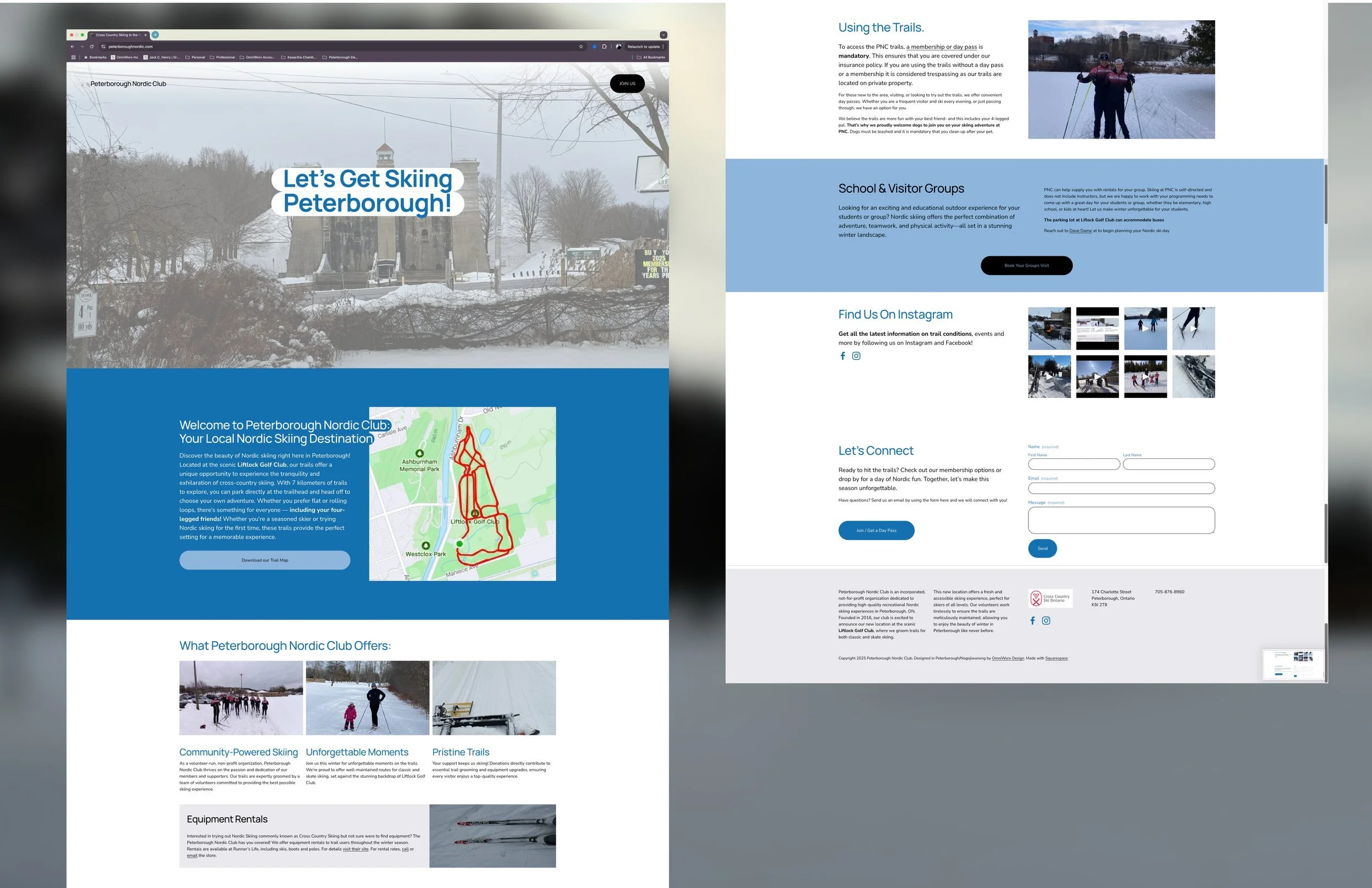
There are many things to consider when building a website, what information to include, the layout, images, SEO, etc. It can be overwhelming. To make the process easier, we created this post as a practical checklist, rather than a technical deep dive. By implementing these suggestions, it will be easier for visitors to find you for their vacation experience. Customers are also more likely to rely on you for their holiday needs.
Clear First Impressions
Your website is often the first point of contact for clients. What they see in the first few seconds of their visit will set the tone for the rest of their stay. It is important to have a clear strong message about who you are and what you offer. Avoid clutter and competing messages by having clear, bold headlines, and supporting imagery that reflects the visitor experience. Are you a bed and breakfast? Having headings that state accommodations, bookings, or menu alongside photos of visitors relaxing over a hearty breakfast would be ideal. Be sure to have one primary call to action (book now, explore here) visible. This way you avoid clutter and competing messages.
Checklist:
Clear value proposition
High-quality, authentic imagery
Clear call to action on every page
Mobile-Friendly Design
Most of us rely on our phones for browsing, especially when we are on the go. For this reason, it is vital to ensure that your website is navigable and easy to read on smaller screens. Having a mobile friendly website means using readable text, easy to tap buttons, and a responsive design. Does turning your screen sideways hide the menu button? Are you using pop-ups? Then it’s not phone friendly. Be extra sure that your booking and contact forms are easy to use on mobile devices.
Checklist:
Mobile-responsive layout
Simple navigation
Forms and booking tools work on phones
Simple, Intuitive Navigation
Having a website that is easy to navigate is important for mobile and desktop use. If a visitor is confused or overwhelmed by your site, they are more likely to use a different provider. You can help visitors find what they need quickly by using simple menus and clear, plain language. Your menu options should make sense, like experiences or services, pricing or packages, booking, or contact information and location, and avoid using multiple layers.
Checklist:
Menu is easy to understand
Key pages are no more than 1–2 clicks away
Navigation is consistent site-wide
Fast Load Times
About 40% of users will click away if a website takes more than 1 to 3 seconds to load. A slow website also negatively affects your SEO, making your website less visible to users. Don’t lose customers over an easy fix! You can optimize your images and media by using smaller, compressed files. For prime loading times and minimize unnecessary plugins or scripts like pop up ads.
Checklist:
Pages load quickly
Images are optimized
No unnecessary features slowing the site down
Strong Visual Storytelling
People prefer visuals to reading paragraphs. An image or video is a great way to convey who you are and the experience you provide visitors without overwhelming or boring people. Are you a restaurant? Share images of friends gathered around a table, eating your food. How about a canoe rental store? Images of your canoe displays, or your canoes on the water are excellent options. When possible, use real photos over stock images. This way you come across as authentic. Be sure to use consistent styles across your site and use seasonal visuals.
Checklist:
High-quality, relevant imagery
Visuals reflect the real experience
Seasonal content is updated regularly
Trust-Building Elements
Help visitors feel confident choosing you. Don’t just tell clients you are reliable, honest, and professional, show them. You can do this in a variety of ways: testimonials and reviews, showing your accreditations, and having clear policies. Having customer testimonies and reviews clearly displayed shows that you consistently show up for your visitors. Just like displaying your memberships, accreditations, and awards shows that you know what you’re doing. Be sure to have your policies, like booking, cancellation, accessibility, and contact information easy to find.
Checklist:
Testimonials or reviews included
Clear contact information
Transparent policies
Location, Access, and Practical Information
This tip goes hand in hand with trust-building. By answering common questions your visitors have upfront, you are showing clients that you care about their experience. This is the best way to attract new visitors and have repeat customers! Be sure to include a page with your address, accessibility details, parking, seasonal hours and availability. You could even include maps and directions, whether or not you’re easy to find. Be sure to include FAQs (frequently asked questions) for common visitor concerns.
Checklist:
Address and map included
Hours and seasonal info clearly stated
FAQs or helpful visitor info available
Search Engine Basics (SEO Essentials)
SEO is an important aspect to consider when building a website. It essentially helps search engines find your page easily, making your site more visible for viewers. Essentially, it is ensuring your website is easy to navigate. Having clear page titles, location based content, alt texts for images, and regularly updating your content all improve your SEO. You could post an event page, write a blog, or upload visitor guides. It all helps your visibility!
Checklist:
Pages have clear titles and descriptions
Location and experience keywords included
Content is updated regularly
Easy Updates and Ongoing Maintenance
A website is not something you can just create and forget. If you are not regularly updating content, you risk appearing outdated or, even worse, people thinking you are closed. Ensure that you and your staff are able to update content easily and regularly check for broken links or outdated information. It is also important to update seasonal content for tourism-based businesses. If you are a cottage resort, having images with snow and cozy fires would not make sense in the middle of July.
Checklist:
Content can be updated easily
Seasonal changes are planned
Website is reviewed regularly
By ensuring your website is easy to use, information is clear, and regularly updating your visuals, you make it easier for new customers to find you. You are also helping visitors have a smooth visit and leave feeling refreshed. They will also be more likely to return, and refer family or friends.
If you are currently working on your website, you can use this post as a checklist to optimize user experience. If you have been established for a while, you can use this post as a self-audit. Try not to be too hard on yourself. We are human and not everything we do is perfect. Improvement is always a goal small business owners strive for.
Still not sure where to start? Loon in the Mist can help tourism businesses assess, improve, and maintain their website. Reach out and book a discovery meeting today!